Qwen-Image-Edit: Everything You Need to Know
Qwen-Image-Edit is a powerful AI sub-model for smart image editing, inpainting, and style transfer—helping creators work faster.
What is Qwen-Image-Edit?
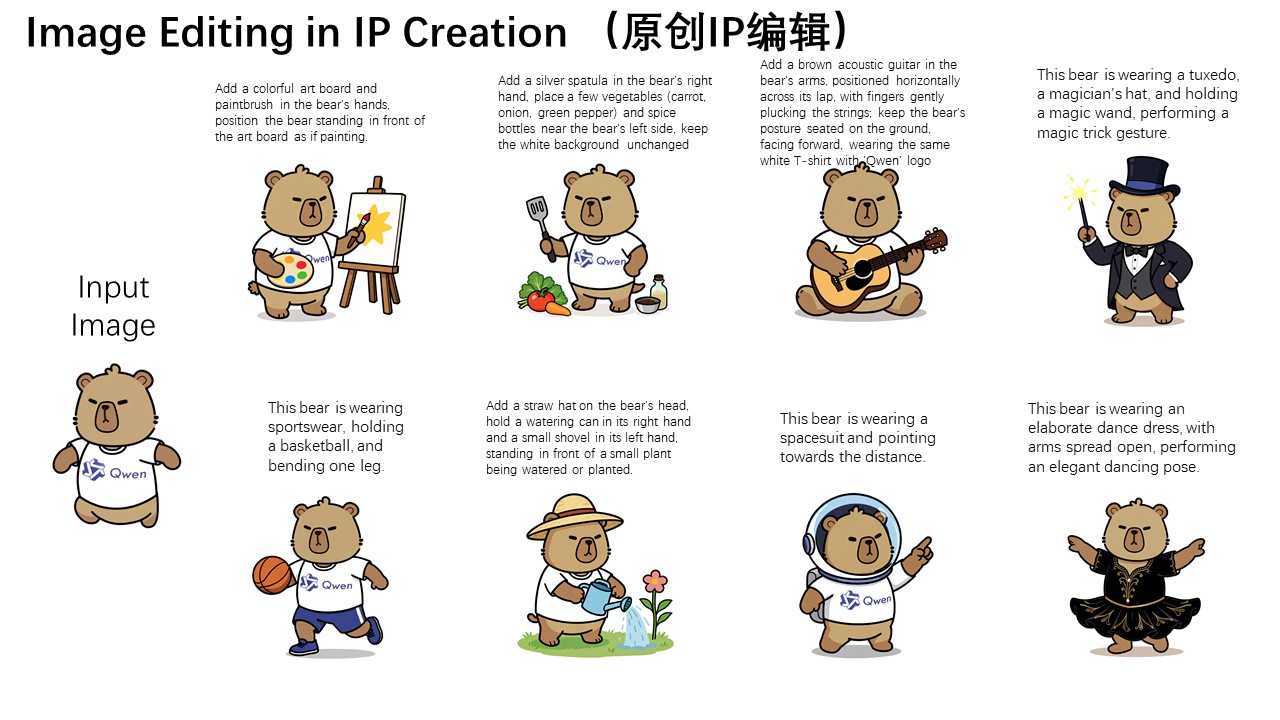
Qwen-Image-Edit is an advanced AI-powered image editing sub-model built on top of Qwen-Image. It enables users to transform, modify, and enhance visuals using simple text prompts or partial selections.
Unlike traditional software, this AI editing model automates complex tasks such as replacing backgrounds, repairing damaged sections, or applying artistic styles. This makes it highly valuable for designers, marketers, educators, and creators who want both speed and precision.
Key Features of the Editing Tool
1. Text-Driven Editing
This sub-model of Qwen-Image lets you change visuals directly through text input. For example, you can turn a plain studio photo into a “sunset beach scene” by typing a simple prompt.
2. Localized Inpainting
Need to fix or replace part of an image? With inpainting, you can select a specific region, and the system will generate seamless results that match the rest of the picture.
3. Style Transfer for Creativity
The tool supports artistic transformations such as oil painting, sketch, futuristic, or cyberpunk aesthetics—perfect for creative campaigns.
4. Smart Enhancement and Repair
It can automatically improve clarity, upscale resolution, or repair low-quality visuals—saving time while ensuring professional output.
Use Cases
- Design and Advertising: Create banners, posters, and campaign visuals in minutes.
- E-commerce: Replace product backgrounds, generate lifestyle imagery, or produce seasonal themes.
- Education and Research: Generate scientific diagrams or teaching visuals.
- Personal Projects: Design book covers, artwork, or fun social media content.
No matter the industry, this image enhancer helps users speed up creation while maintaining flexibility.
How to Use Qwen-Image-Edit
- Go to the Qwen-Image-Edit page.
- Upload the image you want to edit.
- Enter a text prompt describing the changes (e.g., “add a snowy mountain background”).
- Click Generate and preview the results.
- Refine your edits or download the final image.
👉 Try it now: Qwen-Image-Edit
Why Choose This Sub-Model Over Traditional Tools?
Traditional editors like Photoshop are powerful but often require steep learning curves and manual effort. This AI-driven solution provides:
- Ease of Use: Just type what you want, no technical expertise needed.
- Speed: Generate new edits in seconds.
- Flexibility: Works with both text and image inputs.
- Scalability: Perfect for high-volume creative workflows.
With this image editing tool, users can focus more on creativity and less on technical steps.
Conclusion
Qwen-Image-Edit is more than just an editing feature—it’s a smart AI assistant for visual creativity. By combining inpainting, style transfer, and text-driven modifications, it enables faster and more flexible editing than ever before.
Whether you are a designer, marketer, or individual creator, this AI-powered sub-model can help bring your ideas to life with ease.
👉 Start exploring today: Qwen-Image-Edit